
WooCommerce plugin
Customer Feedback & Google Review Requests
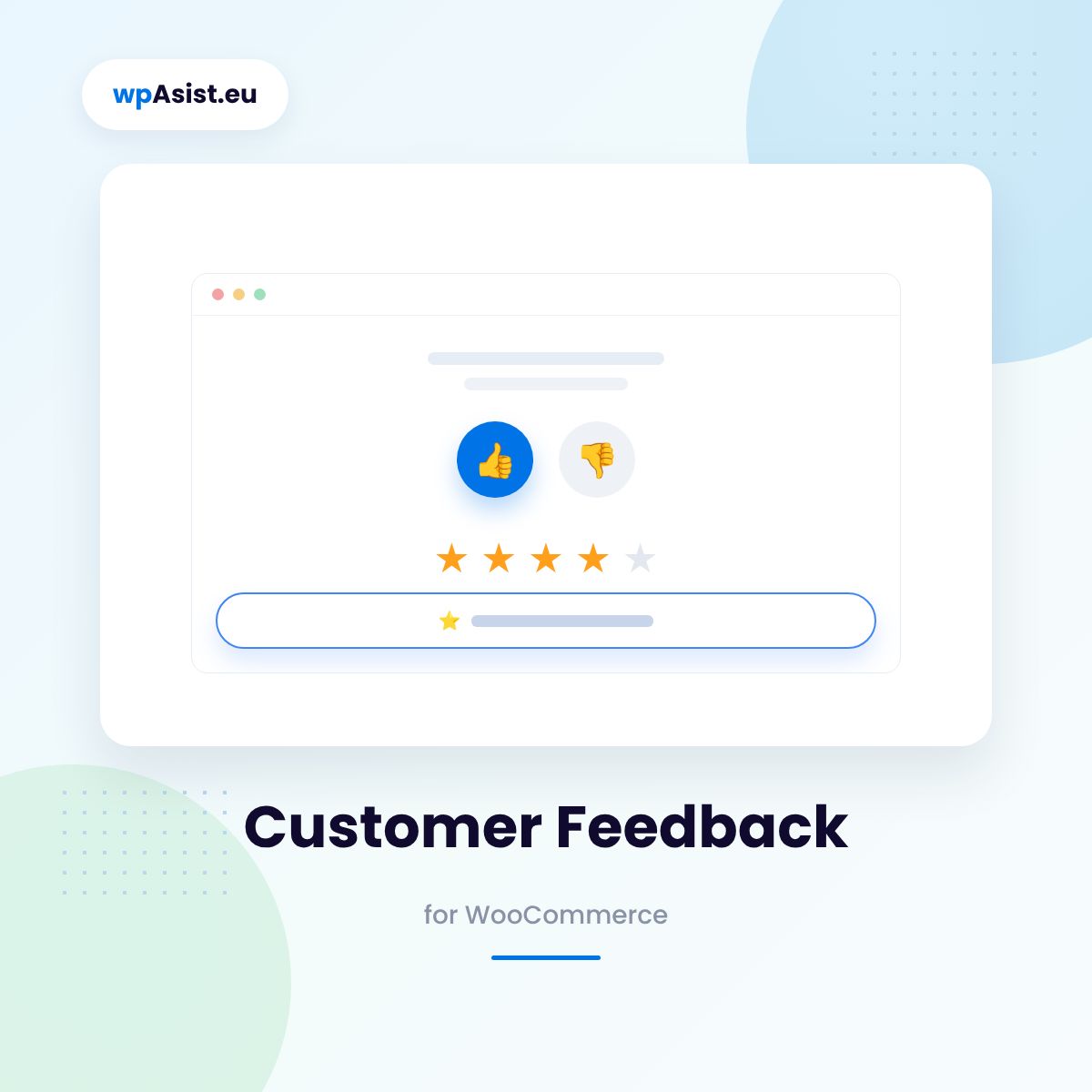
Once an order is completed, the customer gets an e-mail with a short survey: first a thumbs up or down, then star ratings and a comment. Happy customers are invited to leave a Google review and rate the products they bought, while an unhappy one comes straight to you by e-mail – before they write about the problem in public.
- A survey at the right moment — the e-mail goes out X days after the “Completed” status, and one customer is asked at most once every X days.
- Happy customer → a Google review and product reviews — on a good result, the customer sees a thank-you page with a button to your Google review and can rate the products of the order.
- Unhappy customer → an alert to your store — on a poor result, you get an e-mail with their answers before anything becomes publicly visible.
- A survey per customer role, a thank-you coupon, WPML / Polylang — B2B customers get their own questions (or none), everyone who answers can get a single-use coupon, and everything goes out in the language of the order.
Reports show your response rate and weakest questions — so you know what to fix before customers start writing about it in public.
- Free: full version for 5 days
- Help with installation
- Access to the forum
- Post-installation support
- Documentation
- Pro: one-year licence
- Step-by-step documentation
- Updates while your licence is active
- Changes and tailoring to your needs
Secure payments verified by STRIPE

 Stripe
- Apple Pay
- Google Pay


- Bank transfer

30 days to say "nah, not for me"
Bought Pro and it is not your thing after all? Write to us within 30 days and you get your money back – no interrogation, no hard feelings. We may just ask what to improve, so next time it is a "wow".
Reviews you build, before someone writes a bad one on their own
Happy customers rarely think to leave a review on their own – and unhappy ones sometimes write one straight away, in public, instead of giving you a chance to respond first. Customer Feedback & Review Requests flips that order: it asks first, at the right moment, in the customer’s language.
Reviews you have no control over
Without a systematic way to ask for feedback, you mostly get extreme reactions – either nothing, or a bad review written in the heat of the moment, before you had a chance to explain anything. The good experiences that could become Google reviews and product reviews simply go uncollected.
A two-step survey at the right moment:
An e-mail at the right time, not too often
The survey goes out a set number of days after an order reaches “Completed” status (e.g. after 7 days, once the parcel has arrived). One customer (identified by e-mail, guests included) is asked at most once every X days, even if they order every week. You skip orders below an amount, refunded orders, orders older than X days (protection against bulk status changes) or orders with chosen products and categories – services, samples, gift cards – and you can ask only customers who opted in at checkout.
One survey for retail, another for B2B – by customer role
You choose who gets a request: all roles, only the selected ones or all roles except the selected ones – guests without an account are on the list too. Create as many surveys as you need and assign one to each role: a short one for retail customers, a different one for wholesale roles, or no requests to B2B at all.
Example: a customer with the “Wholesaler” role gets three questions about delivery dates and documents, a retail customer gets a survey about packaging and product quality. Everyone answers what actually concerns them.
A two-step survey – thumbs first, then details
First, one click – a thumbs up or down. Then sections and questions you build yourself: 1–5 stars, a comment, yes/no, short text, a dropdown. Default sections: store and order, delivery time, packaging, product quality. Your logo sits at the top of the survey, and you preview every survey and send it to yourself as a test before a customer sees it.
A happy customer goes straight to a Google review – and rates the products
The result counts as positive when the customer gave a thumbs up and the average rating (or each one individually) reaches your threshold, e.g. 4. They then see a thank-you page with a button to your Google review link. On the same page they rate the products of the order – the reviews are saved in WooCommerce as “verified owner” reviews, held for your approval or published at once.
Example: a customer rates their order 5 stars and gives a thumbs up — they immediately see “Thank you! Leave us a review on Google”, stars next to the products they bought and a discount code for their next order.
An unhappy customer comes to you, not the public eye
On a negative result, the customer sees a “we’re already looking into it” page, and you get an e-mail with their answers – before anything goes public. Every negative response is a case with a status – new, in progress, resolved – and your own notes, so none gets lost. A small link to a public review can still stay on that page too, in line with Google’s rules and EU consumer law.
A thank-you coupon – without creating codes by hand
You create one coupon in WooCommerce as a template, and after every completed survey the plugin makes a copy with a unique code: single use, only for the customer’s e-mail, valid for X days. The code is on the thank-you page and in the e-mail, with a different template (or none) per survey – e.g. 10% for retail, nothing for B2B. Expired, unused codes disappear on their own, and the Coupons tab shows how many were given, how many were used and for how much.
Reports, sent requests and a single reminder
The report shows your response rate, positive and negative results, results month by month and the average for every question – the weakest ones highlighted in red, below your threshold. Reset the report for a new period and the old one goes to the archive. A response list with filters and CSV export, a list of sent requests with their status and the reason for skipping. A customer who doesn’t respond gets one reminder – never more.
Works wherever your store works – in every language of your WPML site
The plugin detects the languages of your store (WPML / Polylang). Every text the customer sees – the e-mails, the survey questions, the thank-you pages, the coupon texts – is in the Translations tab, per language, already filled in in English and Polish. The customer gets everything in the language they ordered in, and you choose excluded products and categories only once, in the default language. The survey opens on your own site from a link in the e-mail – the link has limited validity, and every e-mail has an unsubscribe link. You export and delete customer data with WordPress’s privacy tools. HPOS and block checkout compatible.
You’re up and running in a few minutes
Installation takes a few clicks: upload the ZIP, activate the licence, set the number of days after completion and build your first survey questions. The order screen shows the survey’s sending status and a “Send feedback request now” action.
Free or Pro? Find out with your first surveys
Download the full version for free and get 5 days to collect the first responses from real customers. If it’s the right fit, upgrade to Pro with one click, no reconfiguration needed.
Pro is a one-year licence (€29.21): updates from the WordPress dashboard, full support and every feature with no limits. Even if the licence expires, your collected responses, coupons and settings stay safe in your store.
Test it free for 5 days
Full version now, no card and no strings attached. When it works for you – get PRO!
Installation help · Guide · Customer forum · Support · Updates · Tailored to your store · Secure payments · 30-day money-back guarantee