
WooCommerce plugin
Cart Upsell Popup with Product Suggestions
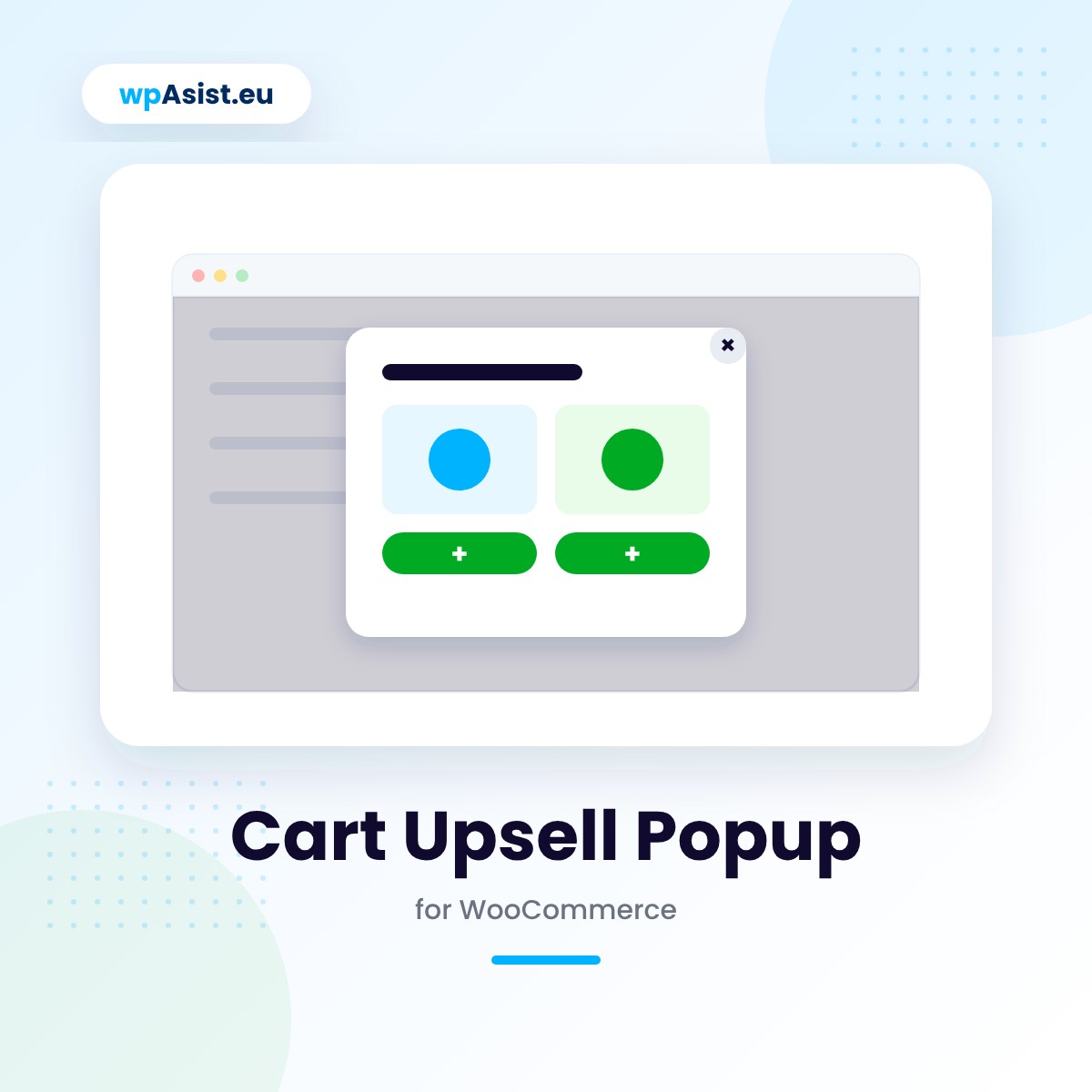
When a customer opens their cart, a popup shows products worth adding to the order – accessories, consumables, bestsellers. The customer adds them in one click, without leaving the cart.
- Suggestions exactly where the customer decides — a popup on the cart page and, optionally, at checkout, in both the classic and block versions.
- One-click adding — no page reload, the cart refreshes with an updated summary.
- Only available products — the plugin automatically skips sold-out items, hidden products and anything already in the customer’s cart.
Average order value rises with no extra traffic to your store.
- Free: full version for 5 days
- Cheaper renewals: 10% off after a year, up to 30%
- Step-by-step documentation
- Updates while your licence is active
- Changes and tailoring to your needs
- Documentation
- Pro: one-year licence
- Help with installation
- Access to the forum
- Post-installation support
Secure payments verified by STRIPE

 Stripe
- Apple Pay
- Google Pay


- Bank transfer

30 days to say "nah, not for me"
Bought Pro and it is not your thing after all? Write to us within 30 days and you get your money back – no interrogation, no hard feelings. We may just ask what to improve, so next time it is a "wow".
The moment a customer is already thinking about their order
A customer who’s opened their cart has already decided to buy – it’s the best moment to show them something that fits their order. Cart Upsell Popup does this automatically, with no work from you on every order.
Extra sales that take manual work
You know which products sell well alongside others – but tracking that by hand (who has what in their cart, what’s in stock, what you’ve already suggested) doesn’t scale once traffic picks up. Without automation, those sales simply don’t happen.
A popup that knows what to show, and when:
Suggestions right at the moment of decision
The popup appears on the cart page and, if you want, at checkout too – in both the classic and block versions. It only shows when the cart isn’t empty.
Adding with no page reload
Every product in the popup has an image, name, price and “Add to cart” button – the product is added with no reload, and once the popup closes, the cart refreshes with an updated summary. Variable products get a “Select options” button that leads to their product page.
Only what can actually be bought
The plugin automatically skips unavailable, sold-out and hidden products – and, optionally, anything the customer already has in their cart, so they never see the same suggestion twice.
Example: a customer adds a camera to their cart — the popup suggests a memory card and a tripod, but skips the lens they already bought earlier in the same order.
A popup that doesn’t get in the way
Set the display delay (e.g. 1.2 seconds), how many times one customer sees the popup, and after how many days the counter resets. It closes with the × button, the Esc key, or a click outside it.
Works wherever your store works
Products switch to their WPML or Polylang translations, the popup’s default text is translated automatically, and your own text is translated in WPML String Translation. The plugin is HPOS-compatible and works with the WooCommerce block checkout.
You’re up and running in a few minutes
Installation takes a few clicks: upload the ZIP, activate the licence and pick products from the search tool or enter their SKUs – their order on the list is their order in the popup. The popup can show between 1 and 48 products.
Free or Pro? Find out on your first orders
Download the full version for free and get 5 days to see how the popup performs on real customer carts. If it’s the right fit, upgrade to Pro with one click, no reconfiguration needed.
Pro is a one-year licence (€22.31): updates from the WordPress dashboard, full support and every feature with no limits. Even if the licence expires, your product list and settings stay safe in your store.
Test it free for 5 days
Full version now, no card and no strings attached. When it works for you – get PRO!
Installation help · Guide · Customer forum · Support · Updates · Tailored to your store · Secure payments · 30-day money-back guarantee
Partner program
Recommend the plugins you use – earn 20%
Buy any wpAsist plugin and you get your own link and discount code. We pay 20% on every sale from your recommendation, and another 20% every year when the customer you referred renews the licence.
- 20% on the first purchase from your recommendation
- 20% on every licence renewal
- The referred customer stays assigned to you
- Your code gives the customer 10% off
- Partner dashboard with live stats
Do you build stores for clients? Developer program: 33% on sales and renewals, no need to buy plugins.

Hi, I’m Przemek
I started out in 2009 with affiliate programs, and a year later I made it onto GVO’s list of top-selling partners worldwide. Since 2014 I have been building stores and websites for clients: setting up analytics, improving conversions, connecting systems and seeing what really sells.
Since 2019 I have been writing my own WooCommerce plugins for the needs of real stores. Missing a feature? Get in touch – my best plugins started with a client’s question.
E-mail: help@wpasist.eu